
Guide
Clean Your TV Second TV Setup: Same Phone, Another TV
A second TV does not need a second phone or a second setup lesson. The same phone, the same steps, and one habit that keeps two TVs apart make the second clean faster than the first.
 By Grace Liu, TV Utility Reviewer
CONTENTS On this page
Second TV, Second Run
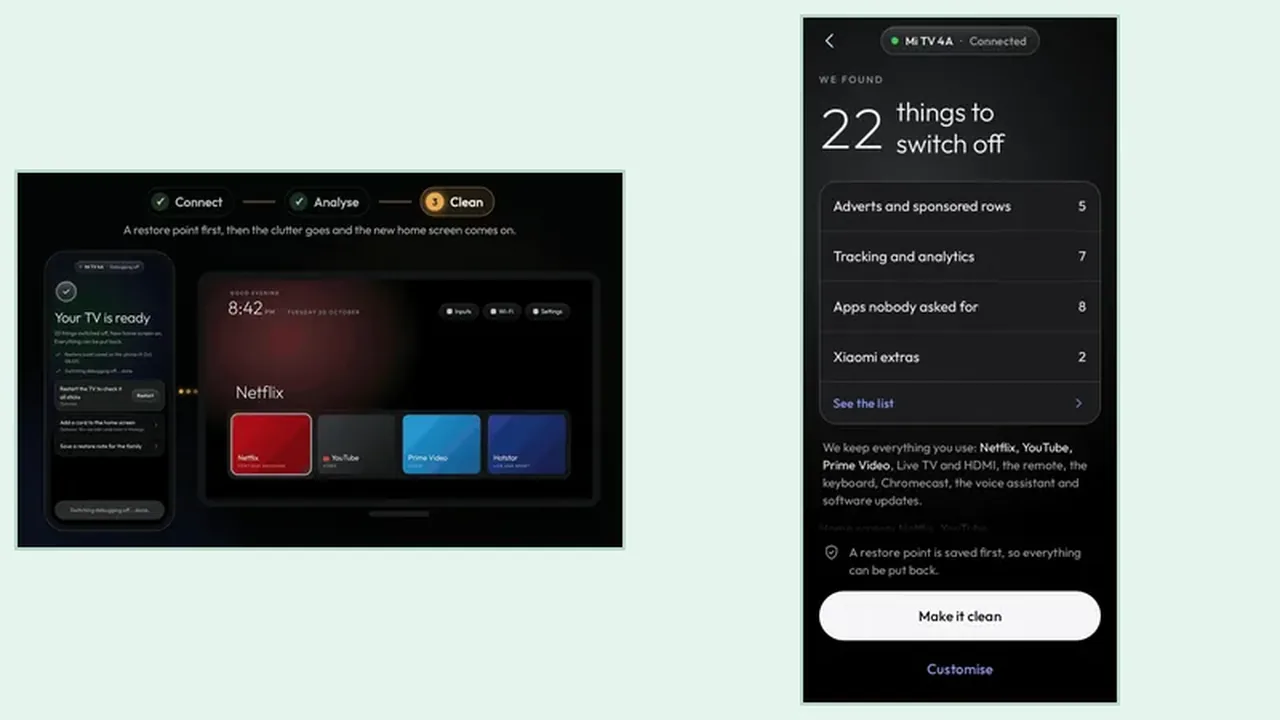
Most homes with two Android TVs discover the second clean by accident: the tidy first TV makes the messy second TV impossible to ignore. The good news is that the second run is faster, because you already know the steps, the Clean Your TV plan, and the keeps list habit. The Clean Your TV Android guide second TV routine is the first routine, repeated, with one extra care: never approve the wrong TV.
Start the second TV exactly as you started the first: same Wi-Fi, debugging on, trust prompt approved with the remote. The phone can talk to one TV at a time, so finish the first TV before you start the second, and keep the first TV off or asleep while you connect the second, so the search finds the right set.
Same Phone, New TV
The phone holds no TV specific lock that stops a second run. It finds the new TV, asks for trust on that TV, and shows a fresh plan for that TV state. That fresh plan matters, because two TVs in one house rarely hold the same clutter: different makers, different preinstalled apps, different viewing habits. The phone setup guide covers the connect step, including the trust prompt that proves you are on the right TV.
Read the second plan as carefully as the first, even though you are tempted to rush it. A second TV plan can hide a different keeps surprise, such as a live TV input the second room uses that the first room never touches. The Wi-Fi and debugging guide helps when the second TV does not appear in the search, which usually means it is on a different network name, not that Clean Your TV has stopped working.
Keep the Two TVs Apart
Name each TV clearly in its own settings, if the maker allows it, so the trust prompt screen names the room, not just a model number. In a home with two Android TVs, the prompt screen is the last checkpoint before approval, and checking the name there prevents the harmless but wasted run of approving the wrong set.
Keep a separate household list per TV, even a short one on paper. The living room list and the bedroom list will differ, and the Clean Your TV clean for each TV should follow its own list. Two tidy TVs, each cleaned around its own viewers, beat one perfect clean copied blindly onto both.
Second TV in Short
Same phone, same steps, fresh plan, checked TV name. Finish one TV before the next, and let each TV keep its own household list.