
Guide
Clean Your TV Phone Setup: Connect Your Android Phone to Your TV
Connect Clean Your TV the right way: same Wi-Fi, network debugging on, trust prompt approved with the remote, and the first plan screen read before any clean.
 By Grace Liu, TV Utility Reviewer
CONTENTS On this page
Before You Start
Start with the three checks that decide whether setup can work at all. You need an Android phone with Android 9 or newer and a screen lock, an Android TV or Google TV, and both devices on the same Wi-Fi. The Clean Your TV APK guide keeps those checks up front because a setup that skips them wastes an evening.
Put the phone on the home Wi-Fi, not on mobile data and not on a guest network. If the TV is wired and the phone is wireless on the same home network, that still counts as the same network, but a guest network is a separate network even when it comes from the same router.
The Trust Prompt, Done Right
Open the app on the phone and let it find the TV. When the TV asks whether to trust this phone, tick Always allow with the remote, then choose OK. That approval is what lets the phone talk to the TV for the analyse and clean steps, and ticking Always allow stops the prompt from interrupting the job halfway through.
If the prompt never appears, the usual cause is network debugging switched off in the TV settings. Follow the step by step path the app shows, switch debugging on, and try again. The guide on fixing Wi-Fi and network debugging problems walks that check in order.
Read the First Plan Screen
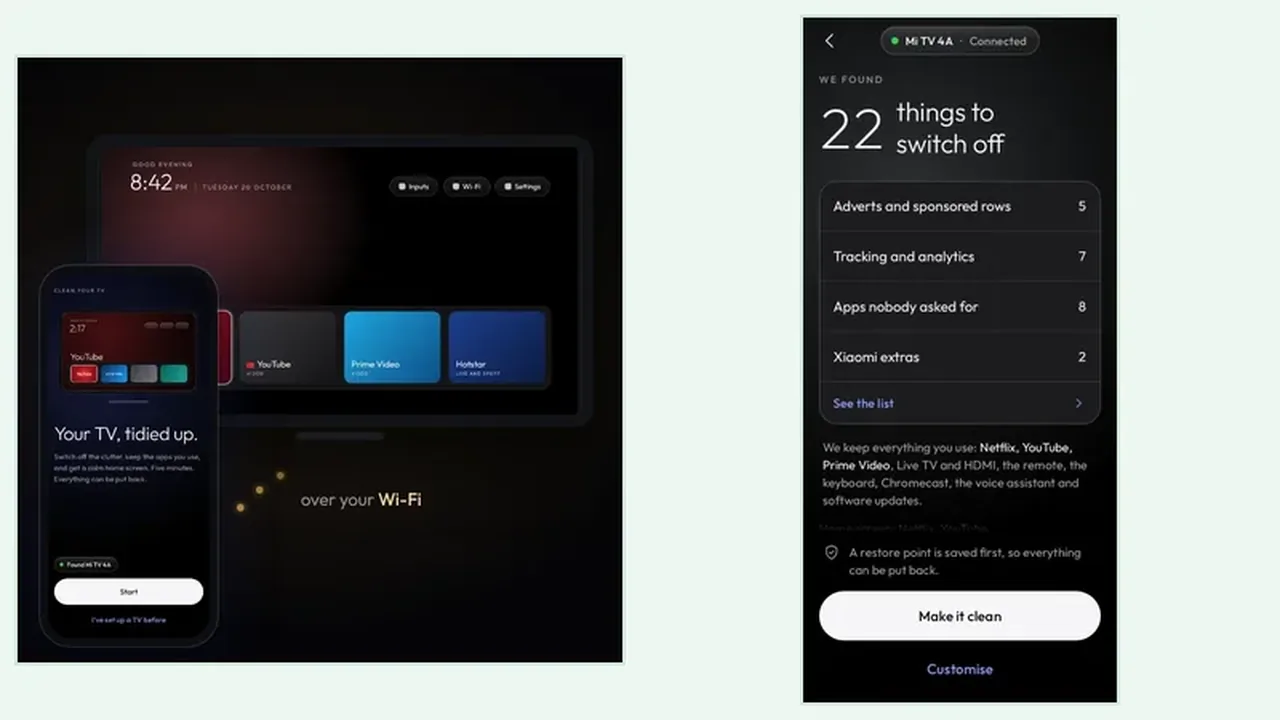
Once the phone is trusted, the app runs the analyse step and shows the plan. Read it before you tap anything. Check the groups, check the keeps list, and confirm the apps your household uses are on the safe side. Only then is setup truly done, because the plan screen is the last easy moment to change your mind.
If an app you need sits on the clean side by mistake, stop and check the keeps list guide before you confirm. A minute of reading beats an hour of putting things back, even when putting things back is easy.
Setup in Short
Same Wi-Fi, debugging on, trust prompt approved with Always allow, plan screen read. That is the whole setup. Do those four things in order and the clean step that follows is calm, quick, and easy to undo.