
Guide
Clean Your TV Voice Search and Casting After a Clean
Voice search and casting stay on after a Clean Your TV clean, unless you choose otherwise. Here is what the plan says about them and how to test each feature after a clean.
 By Grace Liu, TV Utility Reviewer
CONTENTS On this page
Voice and Casting After a Clean
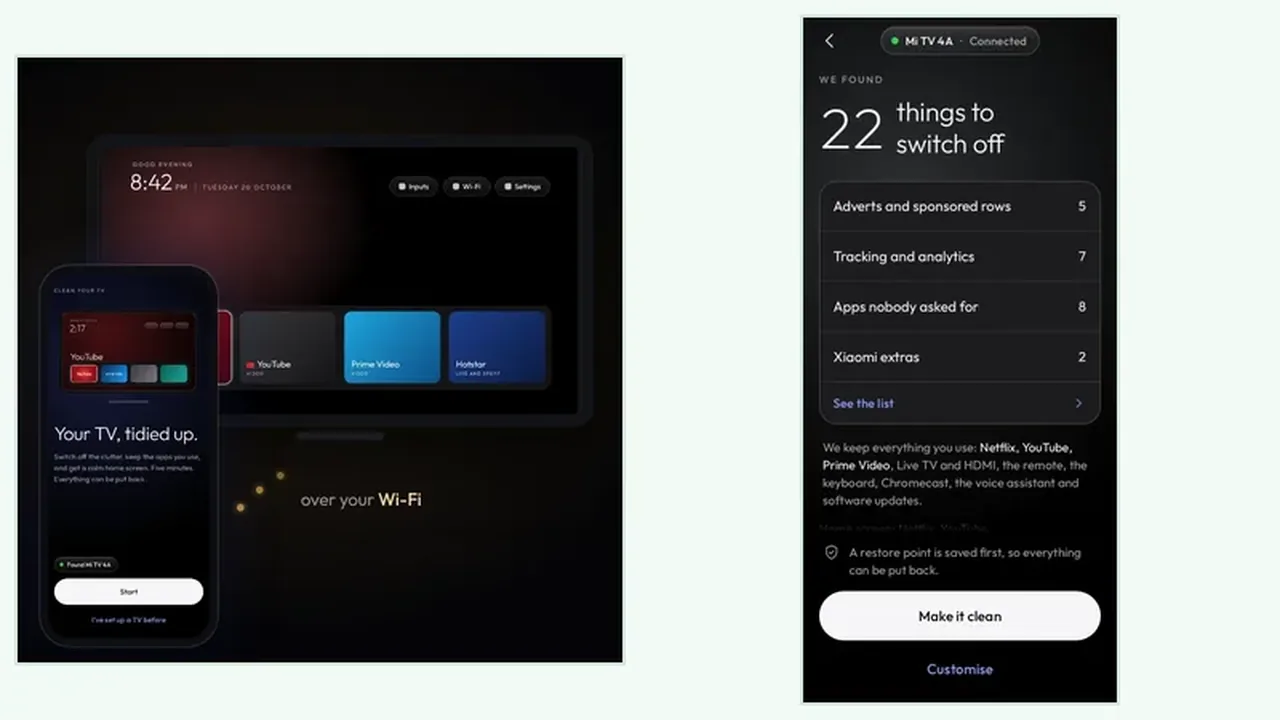
Two features worry households more than any other after a clean: voice search and casting from a phone. Both stay on by default, because both sit on the keeps side of the Clean Your TV plan. The Clean Your TV tidy guide keeps them there for a simple reason: a tidy TV that cannot hear you or take a cast from your phone is not tidier, it is broken.
The worry is fair, because a clean does switch things off, and features feel connected to the apps around them. The plan is the proof: if voice search and casting appear on the keeps side, they are protected for that clean. If they do not, stop and ask why before you tap.
What the Plan Says About Features
Read the Clean Your TV plan in two passes for features, not just apps. First pass: the groups going off, and whether any group name sounds like a feature you use. Second pass: the keeps list, and whether casting, voice search, and software updates are all present. The keeps list guide lists the features Clean Your TV protects by default, so you can compare the screen in front of you with that list.
If you never use casting or voice search, you may choose to switch them off in the Clean Your TV plan. That is a real choice, not a mistake, but make it one feature at a time, followed by a day of normal TV use. A regret after one change is a single undo. A regret after five changes is a mystery.
Test One Feature at a Time
After the clean, test voice search with one spoken search and casting with one short cast from a phone. Test them the way your household actually uses them, not with a special test case. If both work, the clean kept its promise. If one fails, the analyse plan guide helps you trace which group could touch it, and the undo route puts that one feature back without touching the rest.
Keep software updates on too, unless you have a reason to switch them off. Updates bring clutter back, which is a reason to re-run the plan, not a reason to block updates. A TV that updates and gets re-cleaned stays tidy and current at the same time.
Voice and Casting in Short
Voice search and casting stay unless you choose otherwise. Check the keeps list, test one feature at a time after the clean, and undo a single feature if you ever regret a choice.