
Guide
Restore Points and Undo in Clean Your TV: How to Put Anything Back
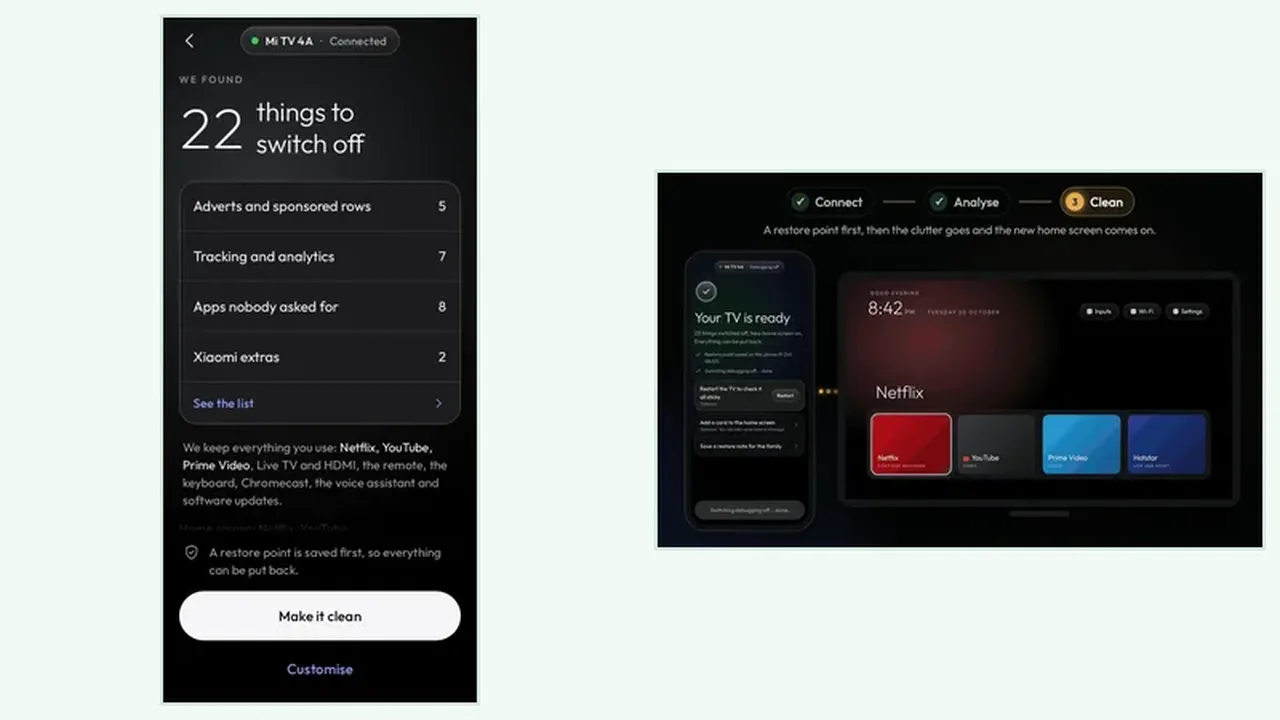
The restore point is the safety net of Clean Your TV: saved on your phone before the first change, it lets you put one app back or undo everything, any time.
 By Grace Liu, TV Utility Reviewer
CONTENTS On this page
What the Restore Point Is
Before the first change, Clean Your TV saves a restore point on your phone. That restore point records the earlier state of the TV, so there is a known good state to return to. It is saved before cleaning starts, not after, which is the detail that makes it trustworthy.
The Clean Your TV app treats the restore point as part of the clean, not as an extra. You do not need to switch it on, export it, or remember to make one. It is there because the clean step refuses to run without it.
Undo One App
If a single app you use is missing after a clean, open the app on the phone, find that app in the switched off list, and switch it back on. The app returns without touching the rest of the clean, so a tidy home screen stays tidy while the one mistake is fixed.
This is the undo you will use most, because most clean regrets are single app regrets. The analyse guide helps prevent them, but undo one app is the fix when prevention misses.
Undo Everything
If several things feel wrong, or the household simply prefers the old home screen, undo everything. The TV returns to its earlier state, restore point and all, and you can start again from the plan screen with fresh eyes. There is no penalty for undoing everything, and no need to reset the TV.
A watchdog adds a second safety net during the clean itself: if the phone does not confirm within 150 seconds, the TV puts its own home screen back. That covers the awkward case where a phone call or a dead battery interrupts the job, and the setup guide explains the connect step that the watchdog protects.
Undo in Short
Restore point first, clean second, undo always. Put one app back when one app is wrong, undo everything when the whole clean is wrong, and trust the watchdog in between. That is the full safety story in three lines.