
Guide
Clean Your TV on an Old Android TV: Slower Hardware, Same Steps
Old Android TVs benefit most from a tidy, and they need the most patience. The steps are the same, but the timing, the plan reading, and the two pass clean all matter more.
 By Grace Liu, TV Utility Reviewer
CONTENTS On this page
Older Android TV Sets
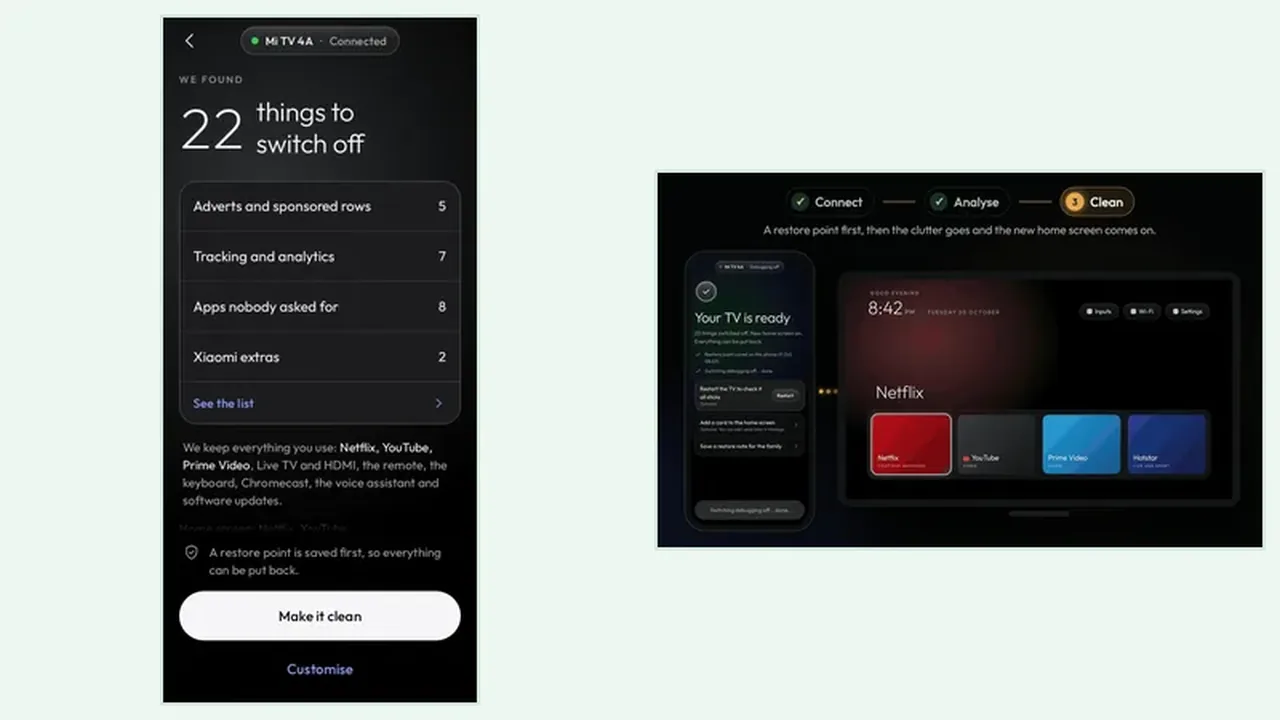
An old Android TV is not a different kind of TV, it is the same system on slower hardware with less spare room. That makes clutter hurt more: every background extra takes a bigger share of a smaller processor, and the home screen shows it first. The Clean Your TV phone app works on these sets the same way, because the phone does the work and the TV only needs to answer over Wi-Fi.
The one hard limit is the system itself. The TV must run Android TV or Google TV, and the phone must run Android 9 or newer with a screen lock. Age alone does not disqualify a TV, but a non Android system does. The compatibility guide explains that line, because Samsung, LG, and Roku sets run their own systems, not Android.
Slower Hardware, Same Steps
On an old TV, give every step more time. The TV may take longer to appear in the search, longer to show the trust prompt, and longer to run the analyse step. Waiting is not a fault, and tapping twice or restarting mid step is how a calm clean turns into a confused one. The Wi-Fi and debugging guide covers the case where the TV never appears, which on old sets is usually the network, not the age.
Keep the phone close to the TV and on the same Wi-Fi, and keep the TV awake through the clean. If the TV sleeps mid clean, the watchdog can put the old home screen back, which is safe but wastes the run. A charger for the phone and a remote in hand remove the two interruptions that old TV cleans suffer most.
When an Old TV Says No
Sometimes an old TV says no in a useful way: Clean Your TV cannot find it, the trust prompt never appears, or the analyse step stalls. Work the checks in order, same Wi-Fi, debugging off and on again, app search restarted, and only then consider that the TV system may be too old for Clean Your TV flow. The Clean Your TV download page links only to the developer official page, where the requirements are stated plainly.
If Clean Your TV cannot help an old set, the manual tidy still can: disable apps you do not use, rearrange the apps row, and clear one big cache at a time. Manual work is slower and has no restore point, so change one thing at a time and note what you changed. That habit replaces the safety net Clean Your TV would have given you.
Old TV in Short
Same steps, more patience. Same Wi-Fi, debugging on, trust approved, plan read twice, and a two pass clean. Old TVs gain the most from a tidy, when the tidy is unhurried.