
Guide
Clean Your TV First Clean Checklist: Your First Run, Done Right
A first clean checklist for Clean Your TV: the checks to make before you tap clean, the order that keeps the plan safe, and the five checks that stop a first run regret.
 By Grace Liu, TV Utility Reviewer
CONTENTS On this page
Before You Start
A first clean goes well when the boring checks come first. The Clean Your TV APK guide starts with the same three checks every time: an Android phone with a screen lock, an Android TV or Google TV, and both devices on the same Wi-Fi. If any one of those is missing, stop and fix it before you open Clean Your TV, because a clean built on a shaky connection is the one that gets interrupted.
Charge the phone, sit where you can see the TV, and keep the remote in your hand. The trust prompt needs the remote, the plan screen needs your eyes, and the clean itself needs about five quiet minutes. A first run done in a rush is how a keeps list surprise happens.
The Order That Works
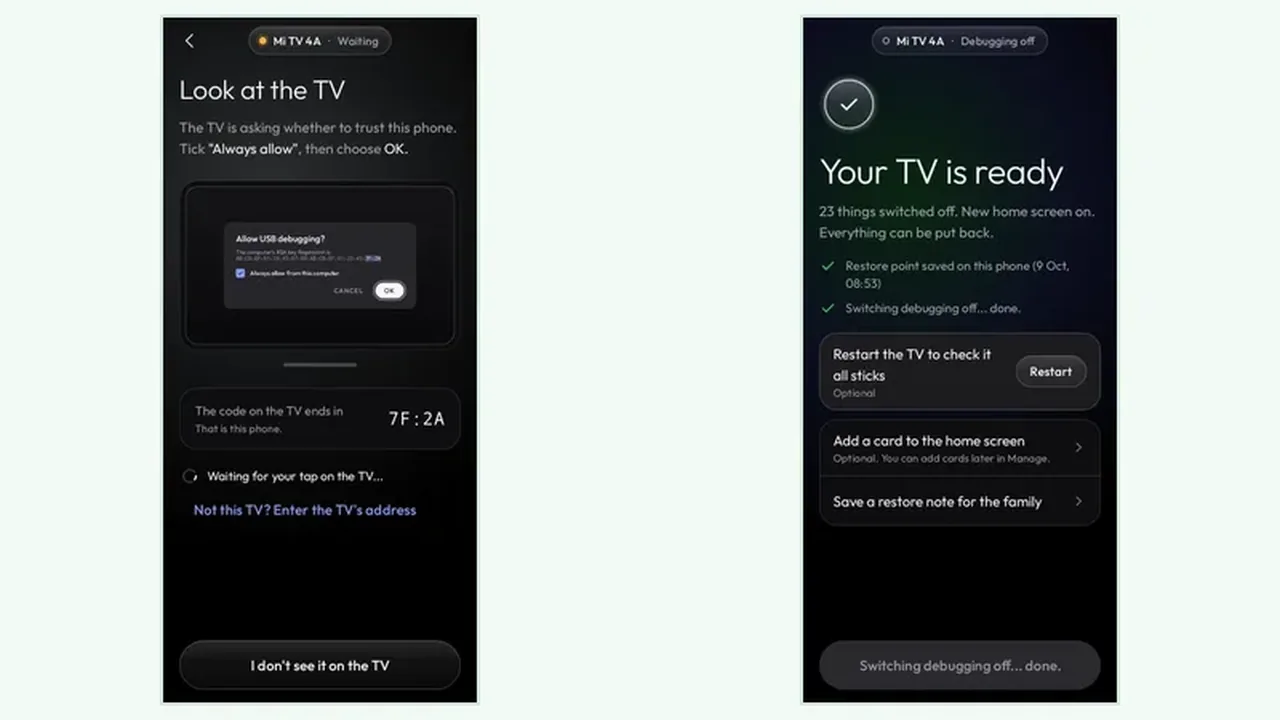
Connect first, then analyse, then clean, in that order, with no step skipped. The connect step proves the phone can talk to the TV, and the analyse step shows the plan before anything changes. The guide on phone setup for Clean Your TV walks the connect step in order, including the trust prompt that must be approved with Always allow.
Read the plan twice on a first run: once for the groups going off, once for the keeps list below them. If a streaming app, a live TV input, or an HDMI input your household uses is not on the keeps side, stop. A minute of reading now beats an hour of putting things back, even when putting things back is easy. Once the plan looks right, the Clean Your TV download page is the only place this site sends you for Clean Your TV itself.
Five Checks Before You Tap Clean
Run these five checks out loud before you tap anything: same Wi-Fi on both devices, network debugging on, trust prompt approved, plan groups understood, keeps list confirmed. Then check one more thing that first timers miss: does anyone else in the house use an app that sits on the clean side? A shared TV means shared apps, and the clean should wait for that answer.
The analyse plan guide for Clean Your TV explains how to read each group, from adverts and tracking to brand extras. On a first run, clean only the groups you understand. Leave an uncertain group for a later run. A partial clean is a good clean, and the app can run again any time.
First Clean in Short
Same Wi-Fi, debugging on, trust approved, plan read, keeps confirmed, then clean. Do those in order and the first run ends with a tidy home screen and a restore point waiting in case you change your mind.